

Getting a TMDB API key
FileVerdict looks up titles and episode names with OMDb out of the box, and that needs no setup. TMDB (The Movie Database) usually does better, particularly for non-English titles, less mainstream series and episode names. To use it, you register your own free key with TMDB and paste it into the app.
It takes about five minutes. Use a desktop browser: TMDB says its API sign-up pages are not built for phones.
1. Create a TMDB account
Section titled “1. Create a TMDB account”Go to themoviedb.org/signup. You can continue with Google, get a sign-in link by email, or choose a username and password.
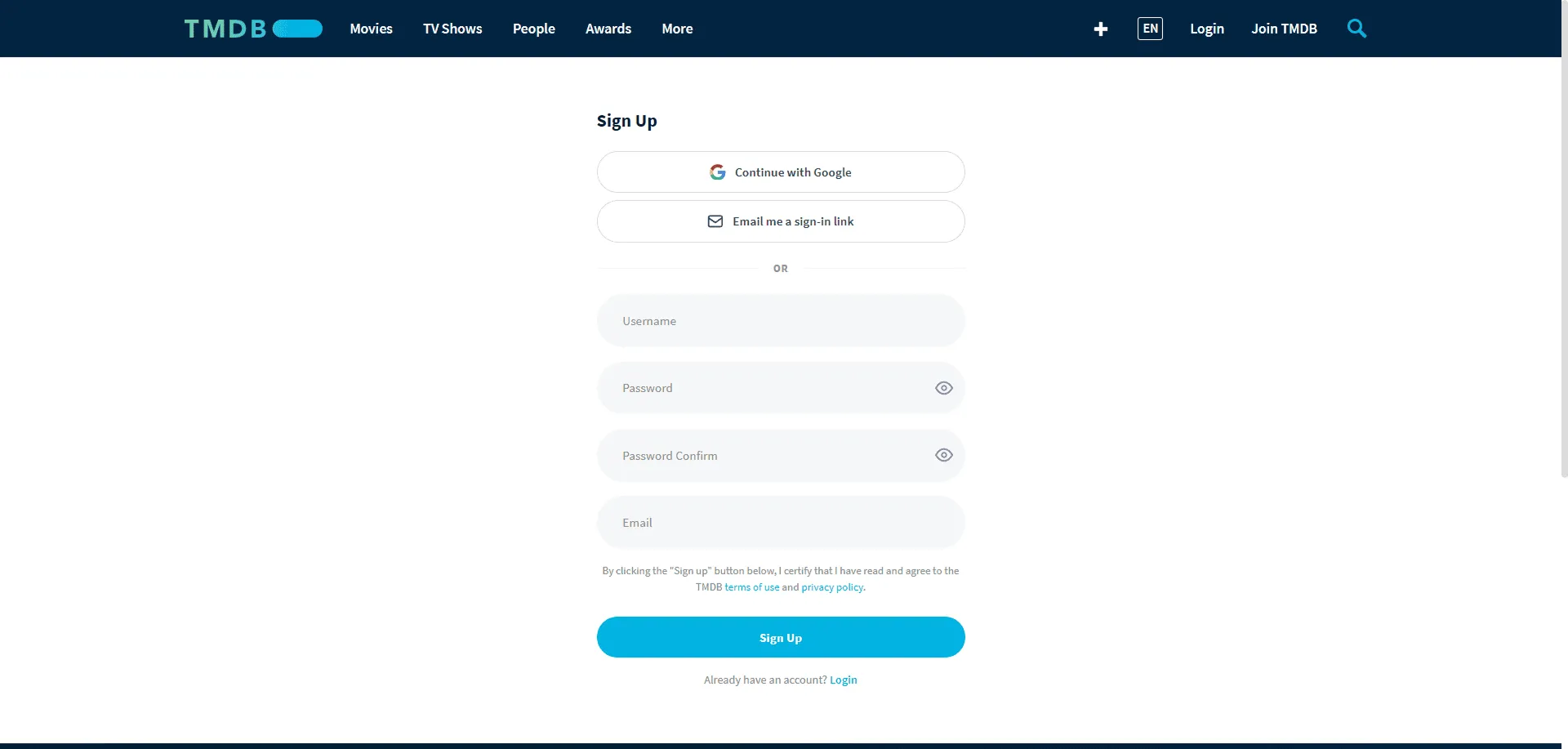
If you sign up with a username and password, TMDB emails you a verification link. Click it before carrying on.
Already have a TMDB account? Log in and skip to the next step.
2. Request an API key
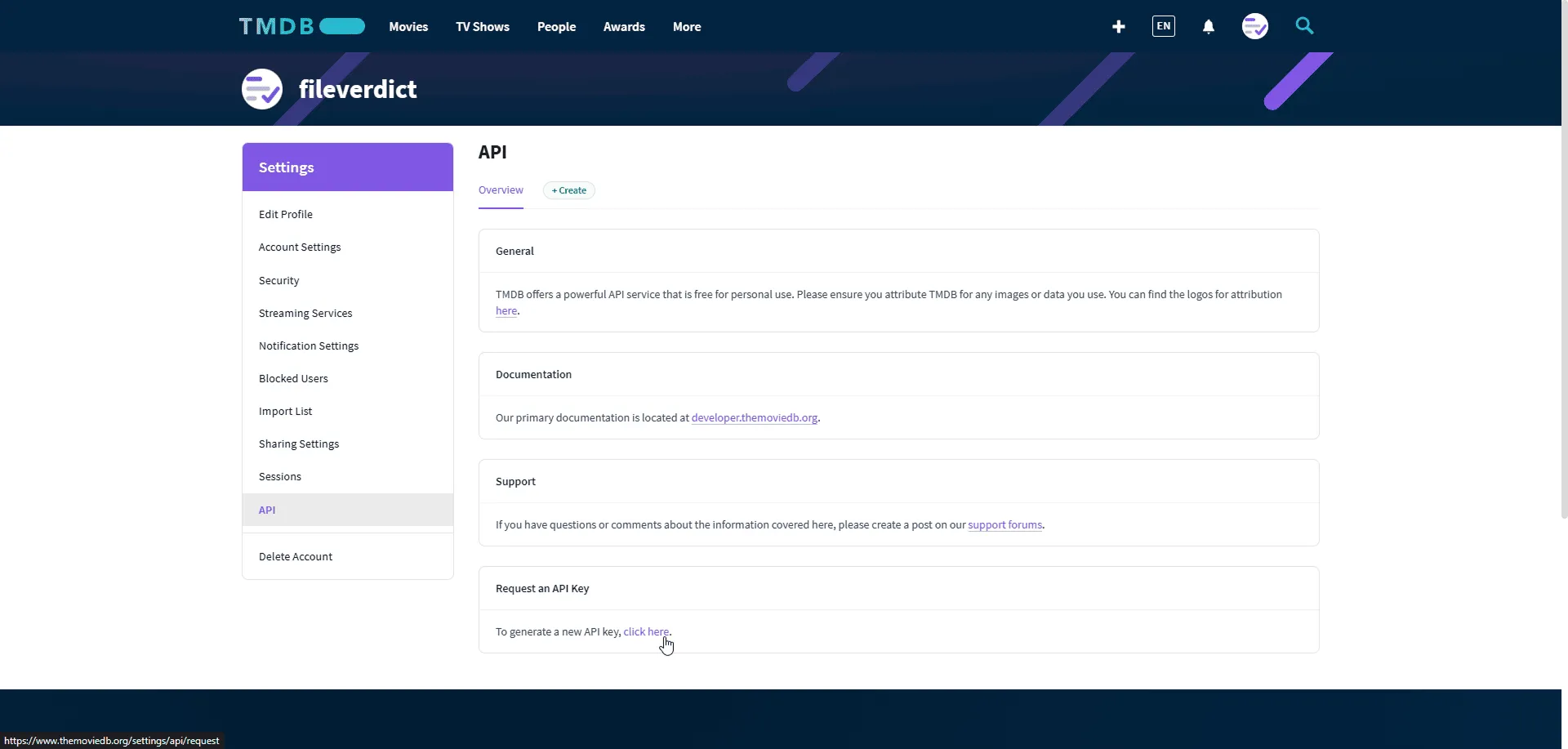
Section titled “2. Request an API key”- Click your profile picture in the top right, then Settings.
- In the sidebar, click API. You can also go straight to themoviedb.org/settings/api.
- Under Request an API Key, click click here.
3. Choose personal use
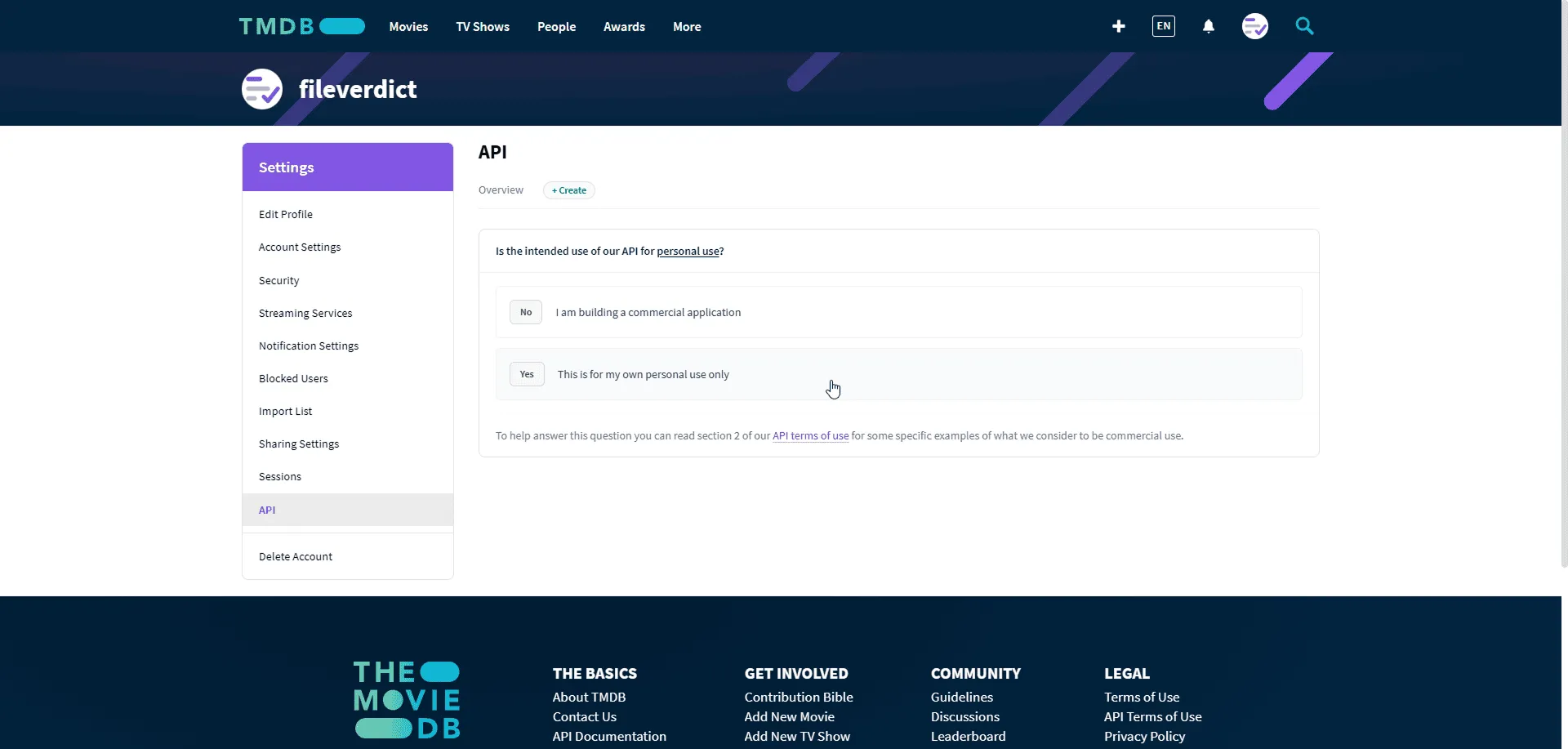
Section titled “3. Choose personal use”TMDB asks whether the key is for personal use. Choose Yes — This is for my own personal use only.
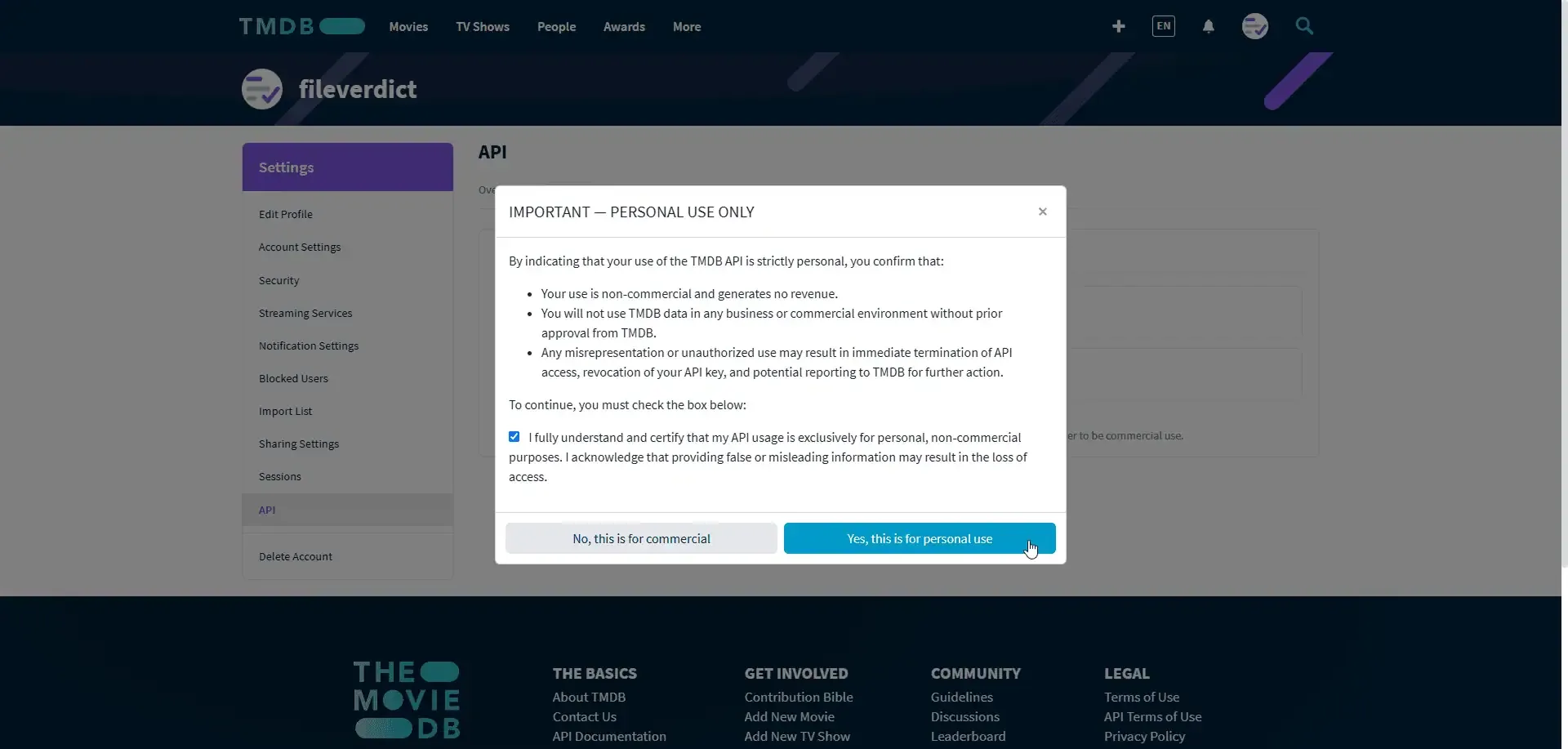
A box headed Important — personal use only appears. Read it, tick the checkbox, and click Yes, this is for personal use.
4. Fill in the application form
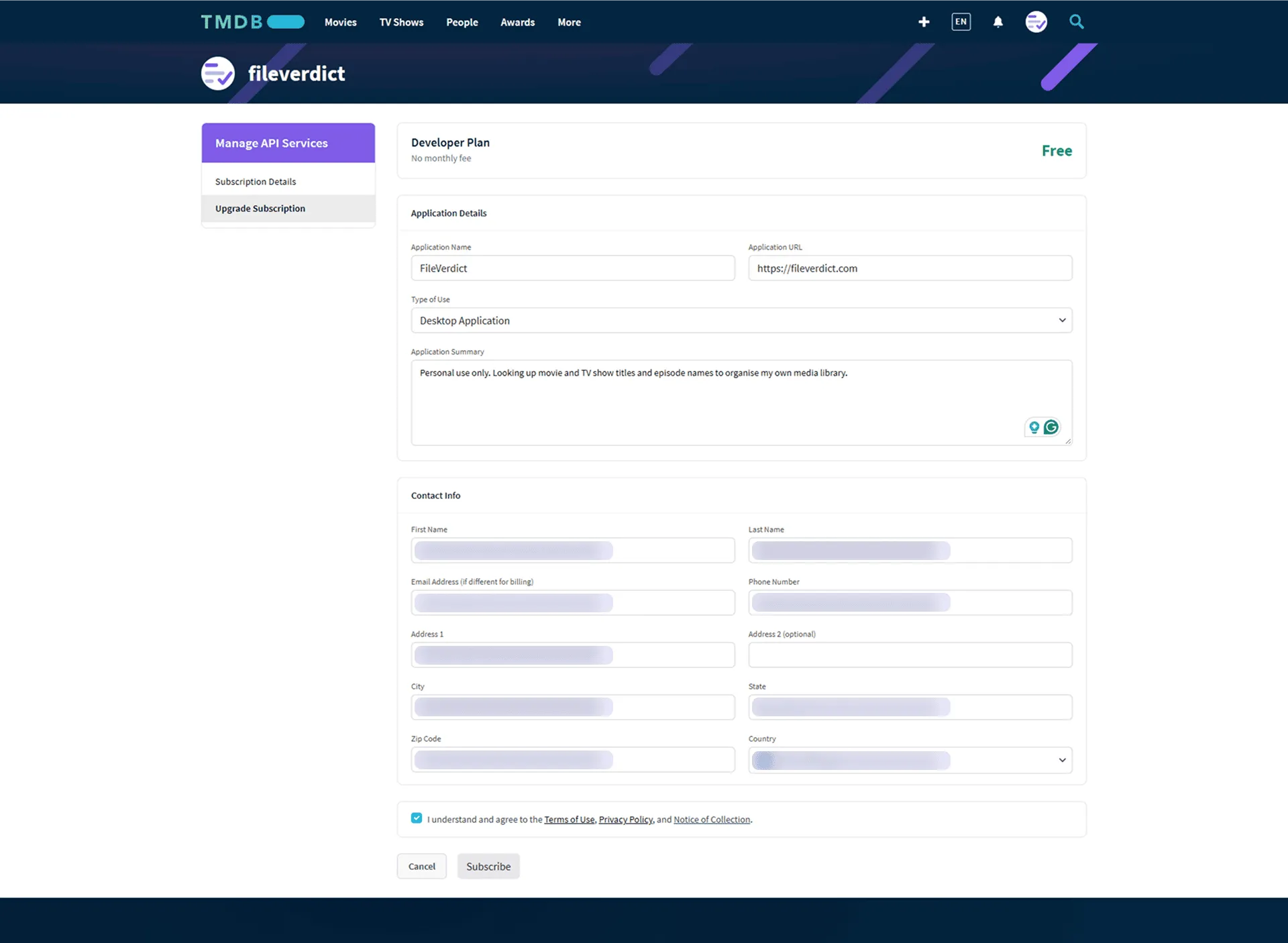
Section titled “4. Fill in the application form”The form is for TMDB’s free Developer Plan. Under Application Details, copy each value below into its field.
Application Name
FileVerdictApplication URL
https://fileverdict.comType of Use — choose Desktop Application from the list.
Application Summary
Personal use only. Looking up movie and TV show titles and episode names to organise my own media library.Under Contact Info, fill in your name, email, phone number and address. TMDB requires these; FileVerdict never sees them.
Tick the box agreeing to TMDB’s terms, then click Subscribe.
5. Open your API key details
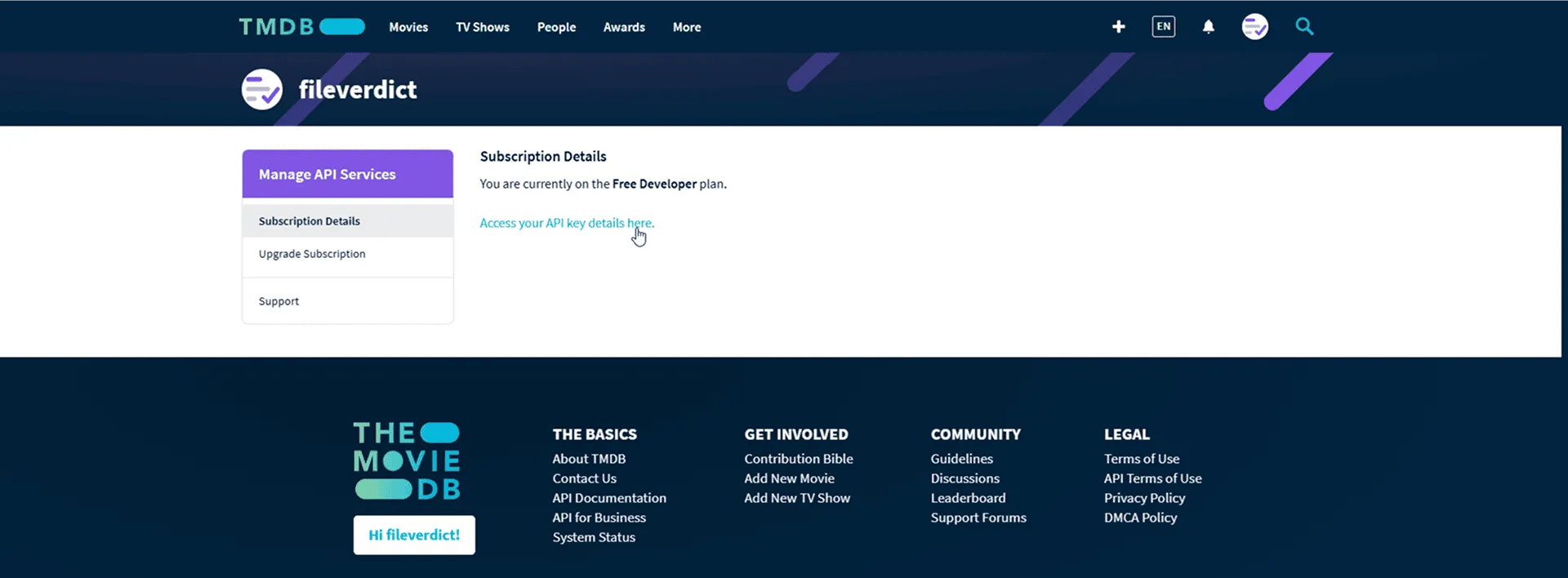
Section titled “5. Open your API key details”TMDB confirms you are on the Free Developer plan. Click Access your API key details here.
6. Copy the API Key
Section titled “6. Copy the API Key”The page shows two credentials. FileVerdict needs the one at the bottom:
- API Key — a short string of 32 letters and numbers. This is the one to copy.
- API Read Access Token — the much longer one above it. FileVerdict does not use this, and pasting it in place of the key makes every lookup fail.
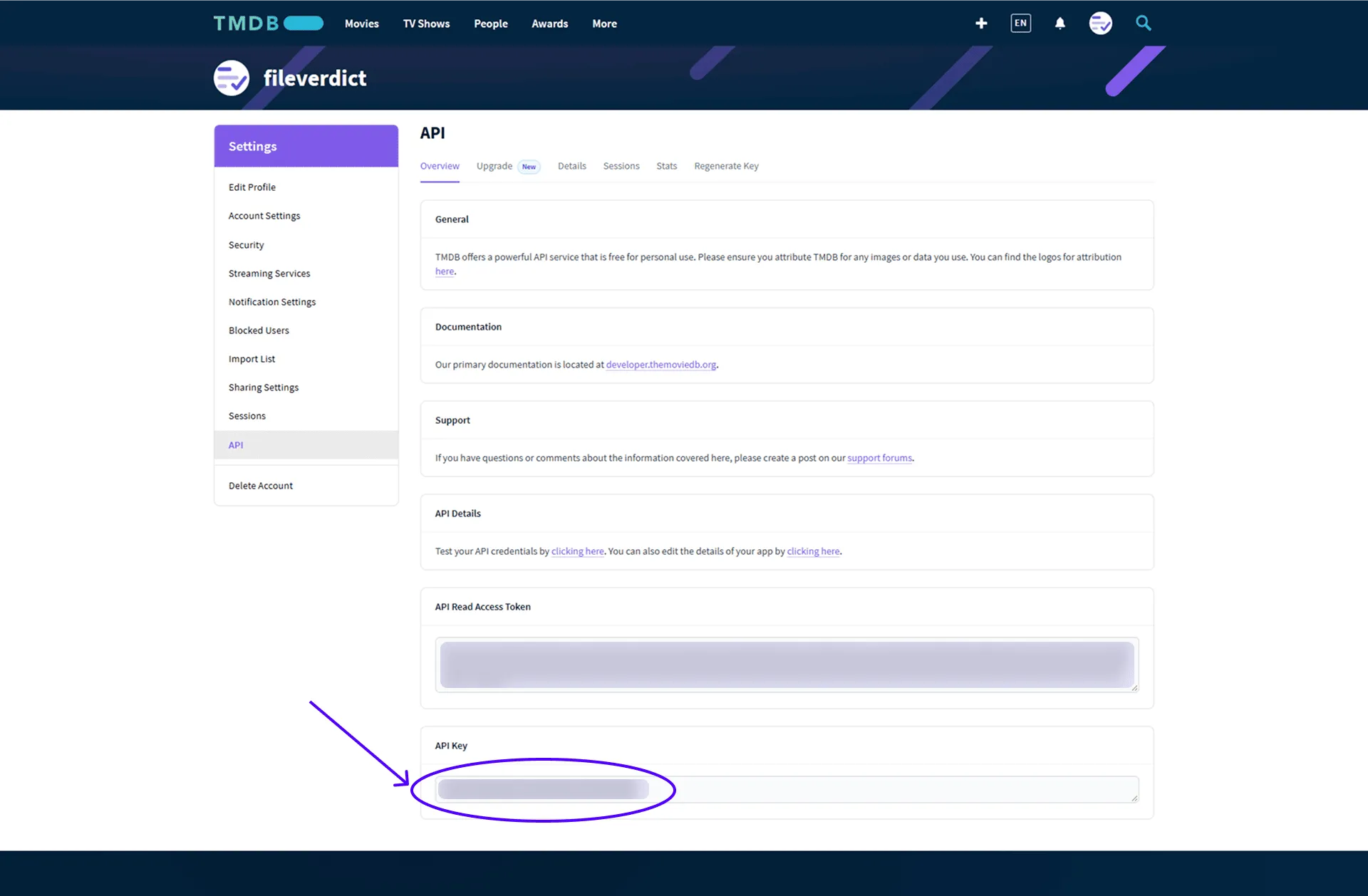
You can come back to this page whenever you need the key again: Settings → API on TMDB.
7. Add it to FileVerdict
Section titled “7. Add it to FileVerdict”- Open Settings with the gear icon, and stay on the General tab.
- Paste the key into TMDB API key and save it.
That is all. Saving a key switches Metadata source to TMDB at the same time, and the hint under the field changes to A key is saved and in use.
Files you have already scanned keep their earlier OMDb matches until you search again or rescan them. New scans use TMDB straight away.
Your key is stored in your operating system’s credential store rather than in FileVerdict’s settings file, and is never shown back to you — see Privacy and network access.
If it isn’t working
Section titled “If it isn’t working”Renames say TMDB rejected the request (HTTP 401). The key is wrong. The most common cause is pasting the API Read Access Token instead of the API Key. Copy the short one, click Remove key in Settings, and save it again.
TMDB is greyed out in the Metadata source list. No key is saved yet. The option unlocks as soon as one is.
A warning says TMDB is selected but no key is saved. The key was removed, or your settings came from an older version. Add the key again, or choose OMDb.
Lookups aren’t happening at all. Check that Work offline is switched off in Settings → General. It stops metadata lookups whichever source is chosen.
To stop using TMDB, click Remove key. FileVerdict switches back to OMDb.