
Features
It reads what’s in the file, not what the label says.
FileVerdict opens every audio and subtitle track, works out what it really is, and shows you why. Nothing is written until you approve it.
01 · Compress
Set your encode before anything else.
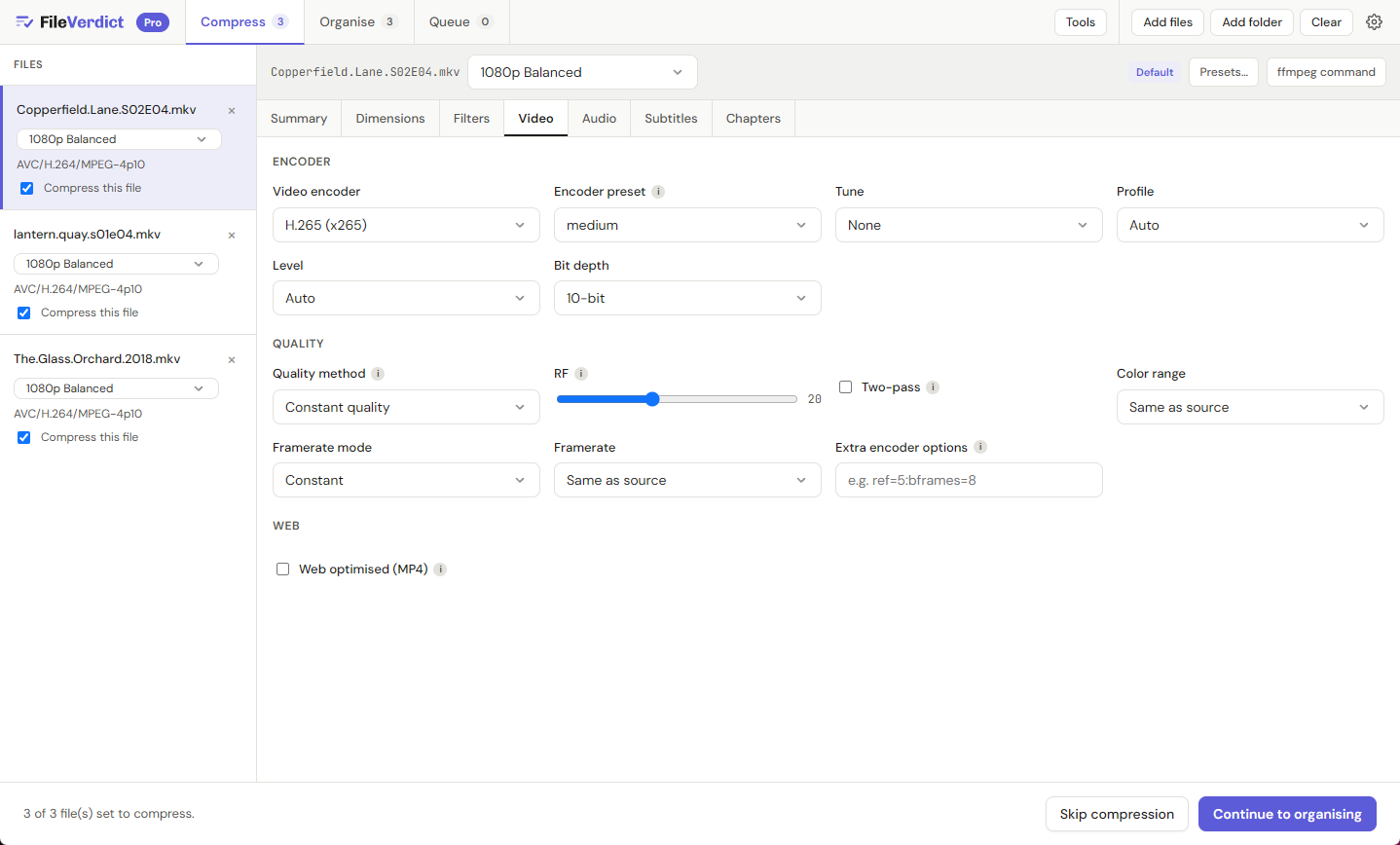
Every file opens straight into Compress. Pick one of twelve built-in presets or set your own encoder, quality and filters. Test a sample encodes one minute with your exact settings, then shows the size, the time it will take, and a before and after. Skip Compress completely if you only want to tidy tracks and names.
- Encodersx264, x265 and AV1, plus NVENC, Quick Sync and AMD hardware encoding
- HDRHDR10 and HLG kept; Dolby Vision kept when the video is passed through
- AudioAudio set once per layout: 7.1, 5.1, stereo and mono
- Per fileOne setting for the batch, a different one for the file that needs it
02 · Organise
Every track, reasoning included.
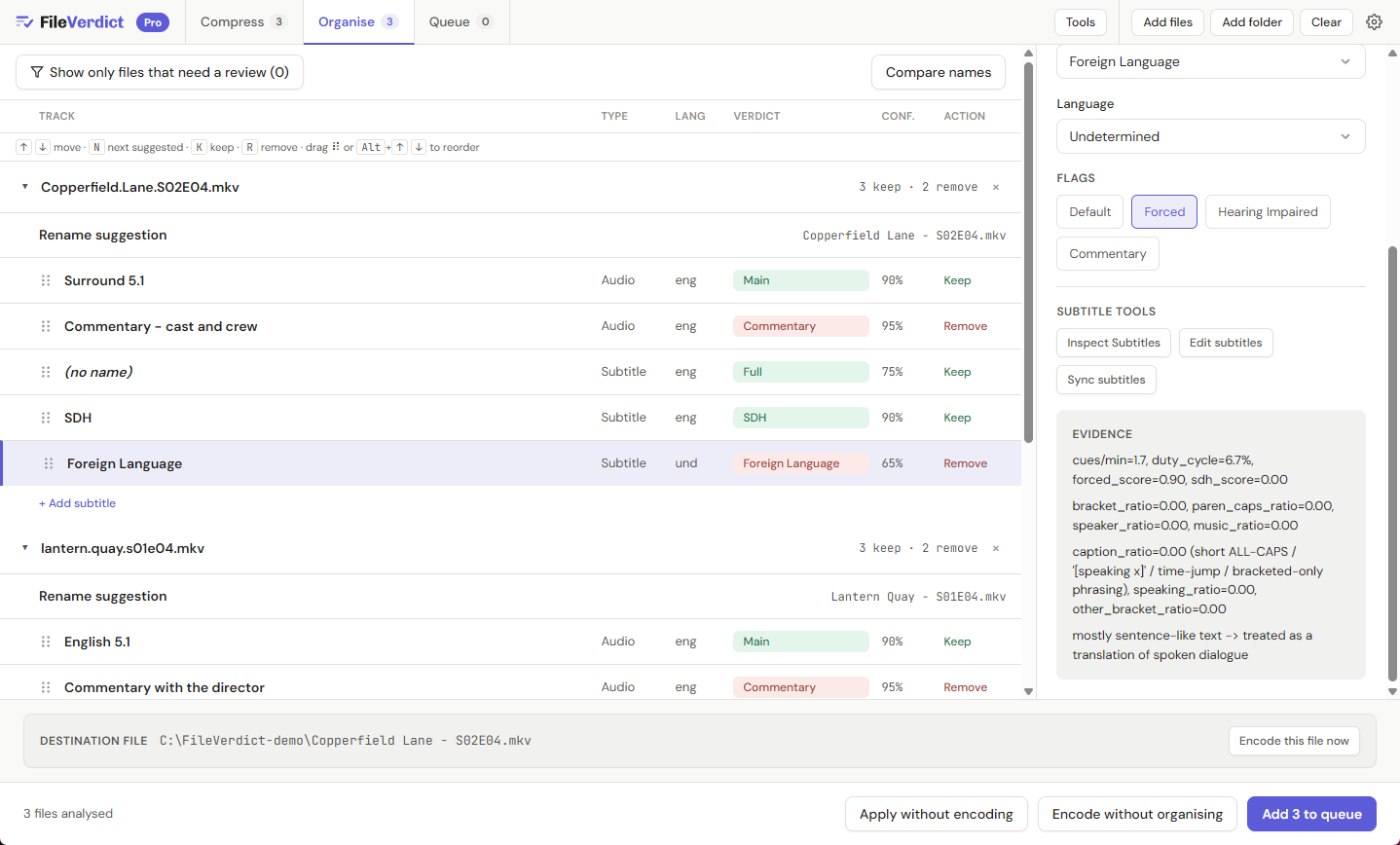
FileVerdict scans in the background while you set up your encode. Organise has every track’s verdict, its evidence and a suggested filename waiting, ready to override. With Pro, the name is matched against OMDb or TMDB and shown with its poster.
- VerdictsKeep, remove or review, per track
- NamingPlex and Jellyfin naming built in, or your own templates
- Matching (Pro)The right title, year and episode name from OMDb, or TMDB with your own key
- FoldersEvery video in its own folder, every episode in its season
- SeasonsChange one episode, then copy your changes to the rest of the season
- ApplyApply the rename alone, or send it to the queue
03 · Queue
Watch it run, or walk away.
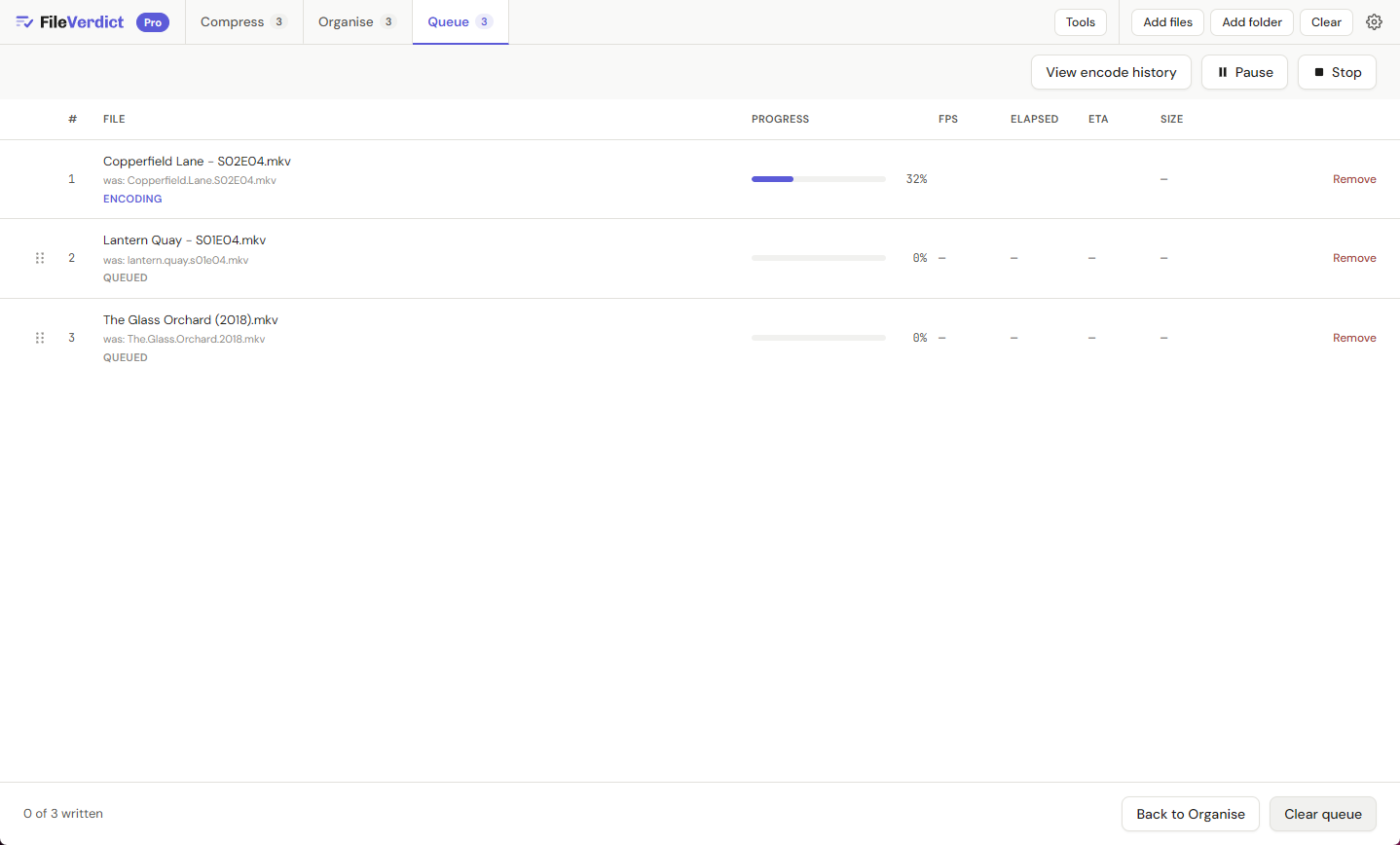
Apply your changes and the file joins the queue. Track progress and ETA, pause or stop the file that’s encoding, and come back to a finished, organised library.
- ProgressProgress, speed and ETA per file
- PausePause stops the encoder outright and resumes from the same point
- When doneA notification when it’s done, and sleep or shut down if you want it
- BatchQueue a whole season or library at once
04 · How it knows
A label is a guess. The track is a fact.
A subtitle track called “English” could be the full dialogue or forty lines of translated signs. FileVerdict counts the lines, looks at how they’re spread through the running time, and reads the words.
Subtitle track
FileVerdict reads
Lines
41
Spread
6% of the running time
Language
English, read from the text
Commentary
Found from what is said, and with Pro, from the cast and crew’s real names.
Language
Read from the text, so a mislabelled track isn’t removed by mistake.
Unsure calls
Marked Suggested and left alone until you decide.
05 · Subtitles
Subtitles that play properly, on time, as text.
Picture subtitles (PGS and VobSub) are read with text recognition, so they get a real verdict too.
Convert to text
Turn a picture subtitle track into a text one, so Plex stops transcoding to show it. About half a minute for a feature-length video. English for now.
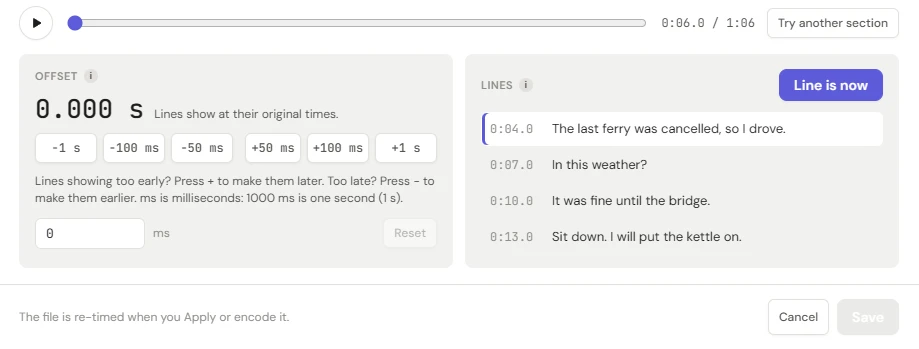
Sync subtitles
Lines early or late? Play a minute, press a key when you hear a line, and the whole track moves to match.
Duplicates
The same track stored twice is found and removed, and a near-copy is shown to you line by line before anything goes.
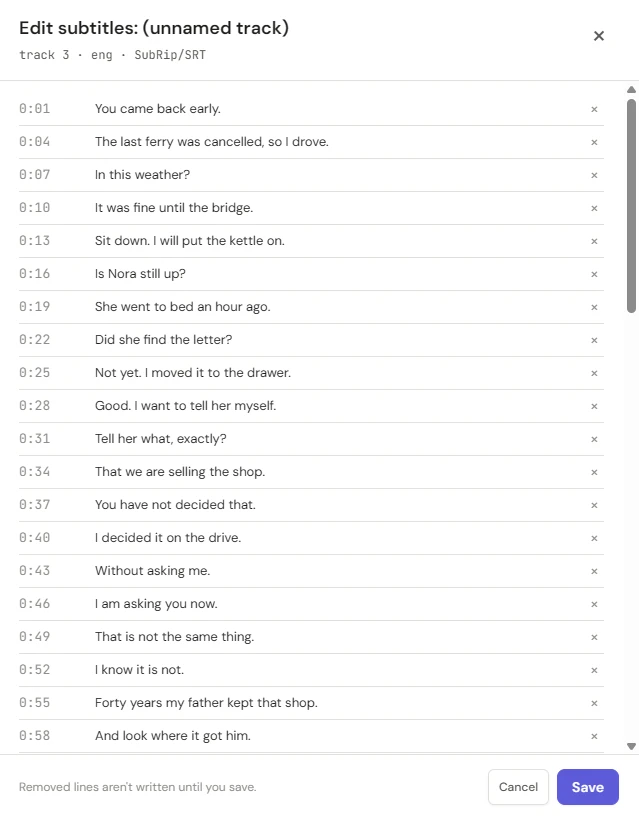
Edit and add
Delete the advert lines from a downloaded subtitle, or add your own .srt, .ass or .vtt file and have it judged like any other track.
06 · Also in the app
Also in the app.
The small things that save an evening.
01
Library health check
A read-only look over a whole library. 2,000 videos in a few minutes, and nothing is changed.
02
Keyboard review
K to keep, R to remove, N for the next track waiting on you.
03
No scan screen
Scanning starts when you add files and runs in the background while you work.
04
.json
Presets you can share
Save your encode settings, export them as JSON, import them anywhere.
05
Your originals stay put
Changes go to a new file by default. Overwriting is something you turn on.
06
Private by design
No account, no telemetry. Your files never leave your computer.
07
Works offline
Scanning, renaming and encoding need no connection. Pro checks in at least once every 14 days.
08
Logs you can send
A history of every file written, and a diagnostics log that keeps filenames but not your folder paths.
Point it at one folder first.
Free to download. Pro is $10 a year or $59 once.
One app and one queue
A whole folder done at once
Every track labelled right
Works with Plex & Jellyfin.
Free for Windows, Linux and Docker ·
v1.8.2