
For Windows 10 and 11
The fastest way to compress and organise your video library
One app replaces FFmpeg, MKVToolNix, Subtitle Edit and a renamer.
The final verdict on your files.
Every track gets a verdict, and every verdict shows its working. Agree with it, override it, or leave it for review.
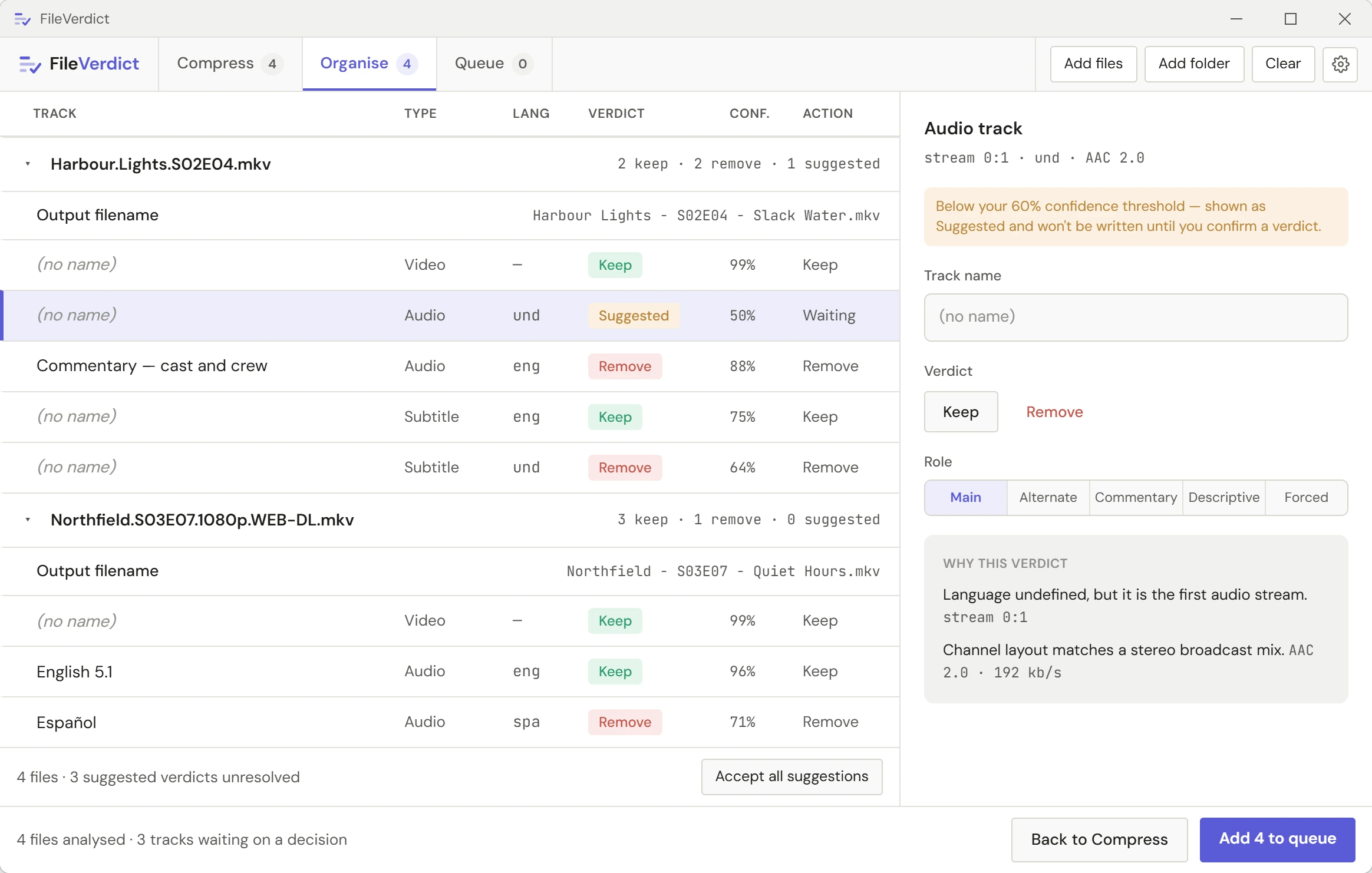
A label is a guess. The track is a fact.
Tools that work from names inherit whatever was typed into them. FileVerdict reads the tracks themselves: how many lines, how they're spread, what they say.
What's in the app
All features →Track verdicts
Every audio and subtitle track read, judged, and shown with its evidence.
Subtitle tools
Picture subtitles converted to text, late subtitles synced, duplicates removed.
Renaming and folders
Matched against OMDb or TMDB, then filed the way Plex and Jellyfin expect.
Compression
x265, AV1 and hardware encoders, with a one-minute test before the long encode.
Seasons and libraries
Fix one episode and copy it to the season. Health-check a whole library in minutes.
Private by design
No account, no telemetry. Your files never leave your PC.
Pricing
One licence, three devices, no subscription.
Buy once or once a year, then activate with your key. The app checks in briefly at least once every 14 days after that; nothing constant, nothing chatty.
Not right for you? Refunds are available within 14 days of purchase.
Full pricing and licensing →Lifetime
One payment, every update
$59
Annual
Per year
$15
Point it at one folder. Review what it found.
Buy a licence, then download and activate.